
Rock VPN: Fast & Secure
StergoSocial
4.714.00 Reviews
- Version
- 3.3.0
- Installs
- 10.00K
- Age Rating
- Everyone
Screenshots
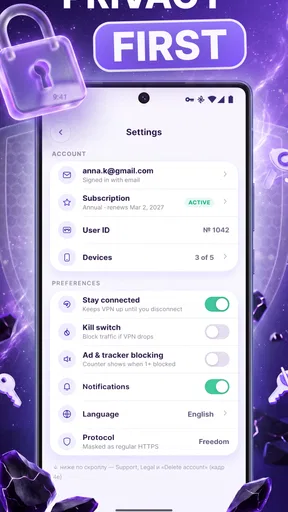
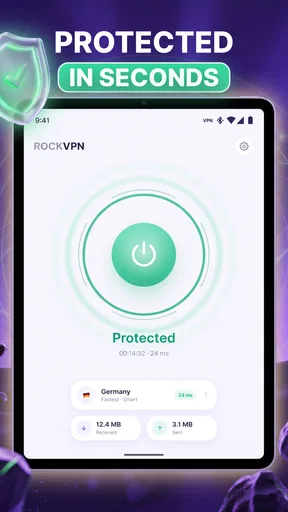
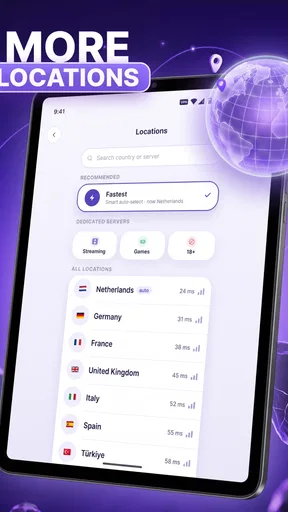
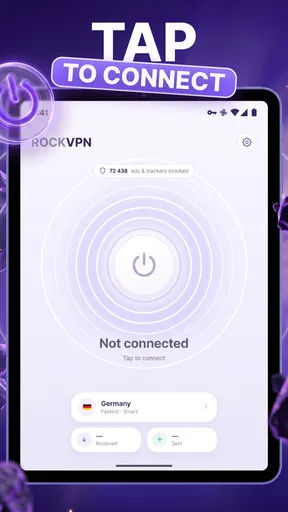
Our Review of Rock VPN: Fast & Secure
 Analysis by Appyee
Rock VPN: Fast & Secure is a social-category app from Stergo that I found easy to understand from the moment I opened it. Its main purpose is to give you a quick way to route your connection through a VPN proxy, which can be useful when you are using public Wi-Fi, trying to keep your IP address less exposed, or wanting a more private connection for everyday browsing. It is free to install, rated for Everyone, and currently available in version 3.3.0 for devices running Android 9 or later.
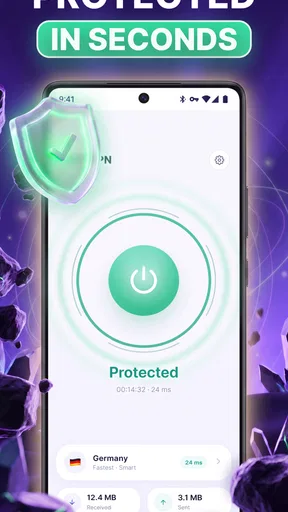
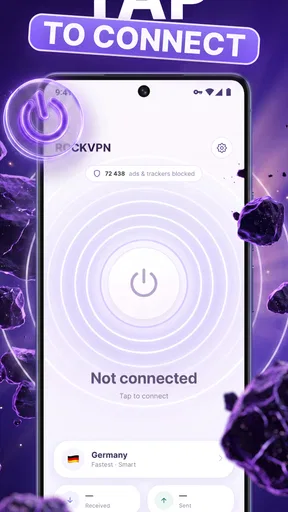
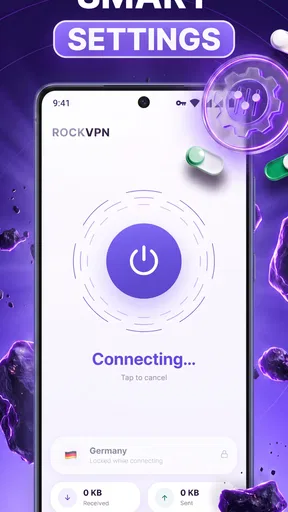
I would describe it as a straightforward tool rather than a complete privacy suite. That distinction matters. A VPN can add a useful layer between your device and the network you are using, but it does not make every online activity automatically anonymous or safe. My experience with Rock VPN was best when I treated it as a simple connection switch: open the app, choose the available connection option, wait for the status to change, and then use the network normally.
What to expect before you connect
The app’s appeal is its narrow focus. You are not opening a social feed, a complicated security dashboard, or a technical networking console. Rock VPN is built around the practical need to establish a VPN connection without making a first-time user learn specialist terminology. That makes it approachable for someone who has never used a VPN before and simply wants extra protection on a café, hotel, airport, or library network.
In everyday use, I would consider it most helpful when I am about to enter sensitive information on a shared connection. For example, if I need to check an account or send a work message while waiting in a public place, starting the VPN before opening those services is a sensible habit. It is also relevant for people who play online games or stream video while traveling, although a VPN can sometimes add delay or affect performance depending on the route it uses.
The store listing presents it as a fast, private proxy for hiding your IP address, securing Wi-Fi hotspots, and supporting streaming and gaming. I would read those claims as intended use cases, not a promise that every service will work perfectly in every location. Streaming platforms may detect VPN traffic, and games can react badly to extra distance between you and their servers. The right expectation is improved privacy on the connection, not guaranteed access, unlimited speed, or a replacement for careful online behavior.
Its current average is 4.7 from around 186 ratings, and the app has passed 10 thousand installs. Those figures suggest that it has found an audience, but they should not replace your own judgment about how you use a VPN. A person who needs detailed server controls, a clearly documented privacy workflow, or advanced network customization may still prefer a more specialized alternative.
One detail I noticed when considering the cost is that the app is free to start, while in-app purchases range from $4.99 to $49.99 per item. That means I would install it first and test the basic experience before paying for anything. I would also check what a purchase changes inside the app rather than assuming that any paid option automatically solves speed, location, or compatibility issues.
Getting through the first setup
For a first-time user, the most important step is to install Rock VPN on a supported device and give yourself a quiet minute to understand the connection screen. It supports Android 9 and later, so compatibility is not aimed at very old Android hardware. After opening it, I would avoid immediately launching a banking app or starting a long video. First, I would identify the main connect control and look for a clear indication that the VPN is active.
Android may display its own VPN confirmation or status message during setup. That is normal for this type of application. I would read that prompt instead of tapping through it automatically, because it explains that the app is requesting permission to manage the device’s VPN connection. A VPN needs that system-level access to route traffic, and a cautious user should understand what is being approved before continuing.
Once the connection is active, I would check the Android status area for the VPN indicator or another visible sign that the session has started. This is a useful habit because an app screen can remain open even after a connection has changed, paused, or failed. The system indicator gives me a second way to verify the state rather than relying on one button label.
My first practical tip is to test the app on an ordinary website or a low-risk service before using it for something important. This gives you a chance to notice whether pages load normally and whether the connection feels responsive. If a page becomes unusually slow, I would disconnect and reconnect once rather than repeatedly tapping controls. Repeatedly forcing a connection can make it harder to tell whether the problem is the VPN, the Wi-Fi network, or the service itself.
A second useful habit is to decide when you want the VPN active before beginning a task. If I am about to join a video call, start a game, or upload a large file, I would connect first and then test the activity. Switching the VPN on halfway through can interrupt a session or cause a service to ask me to sign in again. For short browsing, that inconvenience may be minor; for a live match or meeting, it is better to prepare in advance.
I would also remember that a VPN connection can affect local network features. Devices on the same Wi-Fi network may not behave exactly as they did before, and some local services can become less convenient while the VPN is active. If you are trying to print to a nearby printer, cast to a television, or reach a local device, temporarily disconnecting may be the quickest solution. That is not a defect unique to this app; it is a common trade-off of routing traffic through a VPN.
Reaching the first meaningful success
The first successful action should be simple: connect Rock VPN, confirm the system shows an active VPN session, and browse for a few minutes without exposing your connection directly to the public hotspot. That is a more realistic first win than immediately testing a streaming catalog or expecting a dramatic speed change. The value is in making the protection step part of your routine.
Here is the everyday scenario in which I found the idea most convincing. Imagine arriving early for an appointment and joining the venue’s open Wi-Fi. Before checking messages or opening an account, I launch Rock VPN and wait for the connection status to settle. I then visit a normal webpage and make sure it loads. If everything feels stable, I continue with the task. When I leave the network, I disconnect if I no longer need the VPN, especially if I am troubleshooting another connection or using a local service.
That workflow contains an important detail that is easy to miss: connecting is only half of the job. You also need to verify that the session is active and remember to disconnect when it is no longer useful. I would not assume that opening the app alone protects every other app on the phone. I would look for the active status and the Android VPN indicator before treating the connection as ready.
Rock VPN can also be useful before gaming on a network you do not fully trust. I would connect while still in the lobby or menu, then check whether the game signs in and whether latency feels acceptable. If the game becomes sluggish, voice chat breaks, or matchmaking takes longer, I would compare the experience with the VPN disconnected. For competitive play, a stable direct connection may be better than a private route that introduces extra delay.
Streaming requires the same measured approach. I would not install the app solely because I expect it to unlock every catalog or bypass every regional restriction. Instead, I would see whether the service I already use continues to work while connected. Some platforms may show an error, lower playback quality, or request another sign-in. If that happens, Rock VPN may still be valuable for public Wi-Fi protection, but it may not be the right tool for that particular streaming goal.
Another non-obvious use is troubleshooting. If a website works on mobile data but not on a public hotspot, connecting through the VPN can help reveal whether the hotspot is filtering or mishandling traffic. I would treat that as a diagnostic clue, not proof that the VPN has fixed the underlying network. If the problem disappears only while connected, the hotspot itself may need to be avoided for important tasks.
Where first-time users can become confused
The most common misunderstanding is treating “hide my IP” as “hide everything I do.” A VPN can change the apparent network address seen by online services and encrypt the connection between the device and the VPN service, but websites can still identify users through accounts, cookies, browser settings, or other signals. I would continue using strong passwords, multi-factor authentication, and caution with suspicious links.
A second confusion concerns speed. The app is positioned as fast, but speed is not a fixed property of the application alone. It depends on the Wi-Fi connection, the route, the destination service, and the load at the time. If a download slows down, I would first compare the same task with and without the VPN. If privacy is more important than maximum speed, the slower result may be an acceptable trade-off. If I am downloading a large file or playing a latency-sensitive game, direct access may be preferable.
People also sometimes expect a VPN to block every advertisement, tracker, virus, or scam. I would not use Rock VPN as a substitute for security software or common sense. It can help protect traffic on an untrusted network, but it does not make a malicious download safe. I would still keep Android updated, avoid installing unknown files, and verify the address of any site requesting personal information.
Another point worth checking is the connection state after changing networks. If I move from home Wi-Fi to mobile data, or from one hotspot to another, I would glance at the VPN indicator again. Network transitions can interrupt active sessions. The reliable workflow is to confirm the status after the change instead of assuming that the previous connection carried over perfectly.
The paid options deserve a similarly careful approach. Since purchases are available inside the free app, I would avoid paying simply to remove uncertainty. I would first identify the exact benefit offered on the purchase screen, consider whether it addresses my actual problem, and test the free experience long enough to know what I need. Someone seeking only occasional protection on public Wi-Fi may not need to spend anything, while a frequent traveler may decide that a paid option is worthwhile if its terms match their routine.
Privacy-minded users should also make their own comfort assessment before relying on any VPN provider. The technical purpose of a VPN is to move trust from the local network toward the VPN service. That is why I would read the app’s current privacy and service information before using it for especially sensitive work. Rock VPN is convenient, but convenience should not stop a careful user from understanding who handles the connection and under what conditions.
How it compares with familiar alternatives
Compared with browsing directly through public Wi-Fi, Rock VPN adds a practical protective step and is easier to justify when I am handling accounts or private messages. Direct browsing is simpler and may be faster, but it leaves me more dependent on the security of the local network. For casual reading on a trusted home connection, the difference may matter less; on an open hotspot, the VPN approach is more reassuring.
Compared with browser-only privacy tools, Rock VPN is aimed at the device connection rather than just one browser window. That can be more convenient when I move between a browser, messaging app, game, and streaming service. The trade-off is that a device-wide VPN can affect more activities at once, including local services and apps that do not behave well with changed routing.
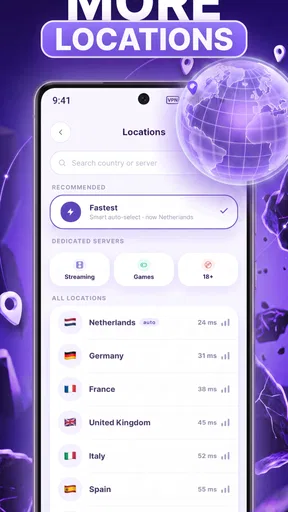
Compared with larger VPN services, Rock VPN feels more suitable for someone who wants a low-friction starting point. A specialist service may be a better choice if you need extensive location selection, detailed protocol controls, transparent technical documentation, business support, or a long-established multi-device workflow. I would choose Rock VPN for simplicity and quick access, not because it replaces every advanced option found elsewhere.
It also differs from a traditional proxy in how I would use it day to day. The app presents itself as a VPN proxy, so I would think of it as a convenient privacy layer for the connection rather than a tool for manually configuring individual applications. That reduces setup work, but it also means I would not expect fine-grained rules for routing one app through the VPN while leaving another untouched unless the interface specifically provides that control.
For families, the Everyone rating makes the app approachable from an age-classification standpoint, but that does not mean every online destination is appropriate for every child. I would still supervise younger users, explain that a VPN is not a license to ignore safety rules, and avoid presenting it as a way around household guidance or school network policies.
The next step after your first connection
After the first successful session, I would build a small routine around situations where the app offers the clearest benefit: unfamiliar Wi-Fi, travel, temporary workspaces, and other networks I do not control. I would connect before entering sensitive information, verify the Android VPN indicator, and disconnect when I need local-network access or when the extra routing is causing trouble.
I would skip Rock VPN if my main requirement is a highly configurable professional VPN, guaranteed access to a particular streaming library, or the lowest possible latency for competitive gaming. I would also look elsewhere if I need a provider selected primarily for extensive documentation and advanced controls. In those cases, a more specialized alternative may justify its extra complexity.
For a first-time user who wants a free starting point, however, the app makes sense. Stergo has kept the central task understandable, and the current version gives newcomers a manageable path from installation to a real privacy habit. The most important lesson is to use it deliberately: connect before the sensitive task, confirm that it is truly active, test performance for your specific activity, and do not confuse a VPN with complete online anonymity.
My final view is that Rock VPN: Fast & Secure is at its best as an uncomplicated companion for public Wi-Fi and everyday connection privacy. It is not a magic shield, and the experience may not suit demanding gamers, heavy streamers, or advanced VPN users. But if you want to take your first sensible step beyond an unprotected hotspot, I think it is worth trying the free version first and judging it by the tasks you actually perform.
Verdict
Strengths of Rock VPN: Fast & Secure
- Simple one-tap connection makes setup quick for beginners.
- Works over Wi-Fi and mobile data networks.
- Useful for accessing content on public or untrusted networks.
- Connection status is clearly shown in the main interface.
- Lightweight design keeps navigation fast and uncomplicated.
Limitations of Rock VPN: Fast & Secure
- Free access may include ads or limits on available servers.
- VPN speeds can vary depending on location and network congestion.
- The app may request permissions users prefer not to grant.
- Advanced controls for protocol or DNS settings may be limited.
- A VPN can reduce battery life during long streaming sessions.
Similar Picks in This Category
View All
Meta Platforms, Inc.4.6

Instagram4.0

Likee-Live, Chat & Party Games
Likeme Pte. Ltd.4.4

Facebook Lite
Meta Platforms, Inc.4.5

TikTok - Videos, Shop & LIVE
TikTok Pte. Ltd.4.0

Moj: Free Short Drama & Reels
ShareChat4.1
Frequently Asked Questions
What is Rock VPN: Fast & Secure, and how does it work?
Rock VPN: Fast & Secure is a virtual private network app designed to route your internet connection through a VPN server. After opening the app, you can typically connect with a single tap and choose from available server locations. This can help encrypt traffic on public Wi-Fi, mask your IP address, and provide an additional layer of privacy while browsing, streaming, or using apps.
Is Rock VPN: Fast & Secure free to use?
Rock VPN: Fast & Secure may offer a free connection option, but availability, speed, server access, advertisements, and usage limits can depend on the current version and subscription model. Before downloading, check the app’s store listing for in-app purchases, trial conditions, and renewal terms. A free VPN should not automatically be assumed to provide unlimited data or access to every feature.
Does Rock VPN: Fast & Secure protect all apps and internet traffic?
When the VPN connection is active, Rock VPN: Fast & Secure is generally intended to protect traffic from the device through its VPN tunnel, rather than only traffic inside the VPN application. However, protection can be affected by connection failures, excluded apps, device settings, or Android and iOS network restrictions. Always confirm that the app shows an active connection before handling sensitive information.
Can Rock VPN: Fast & Secure improve streaming, gaming, or connection speed?
A VPN cannot guarantee faster internet performance. Rock VPN: Fast & Secure may improve access to a more stable route in some situations, but encryption and the distance to a selected server can also increase latency or reduce speed. This is especially noticeable during online gaming, video calls, and high-resolution streaming. Results depend on your provider, location, server load, and network quality.
Is Rock VPN: Fast & Secure completely private and safe?
A VPN can hide your IP address from many websites and encrypt traffic between your device and the VPN server, but it does not make you anonymous or protect against every online threat. The VPN provider may still process connection or usage information according to its privacy policy. Review the requested permissions, logging practices, data-sharing statements, and subscription terms before relying on the app for sensitive activities.
